Weigh — Wyze Scale Ultra iPhone App
An open-source iPhone app that reads a Wyze Scale Ultra directly over Bluetooth LE and saves weight and full body composition to Apple Health, with no Wyze app or cloud. Built by decrypting the scale's protocol from a Bluetooth capture.
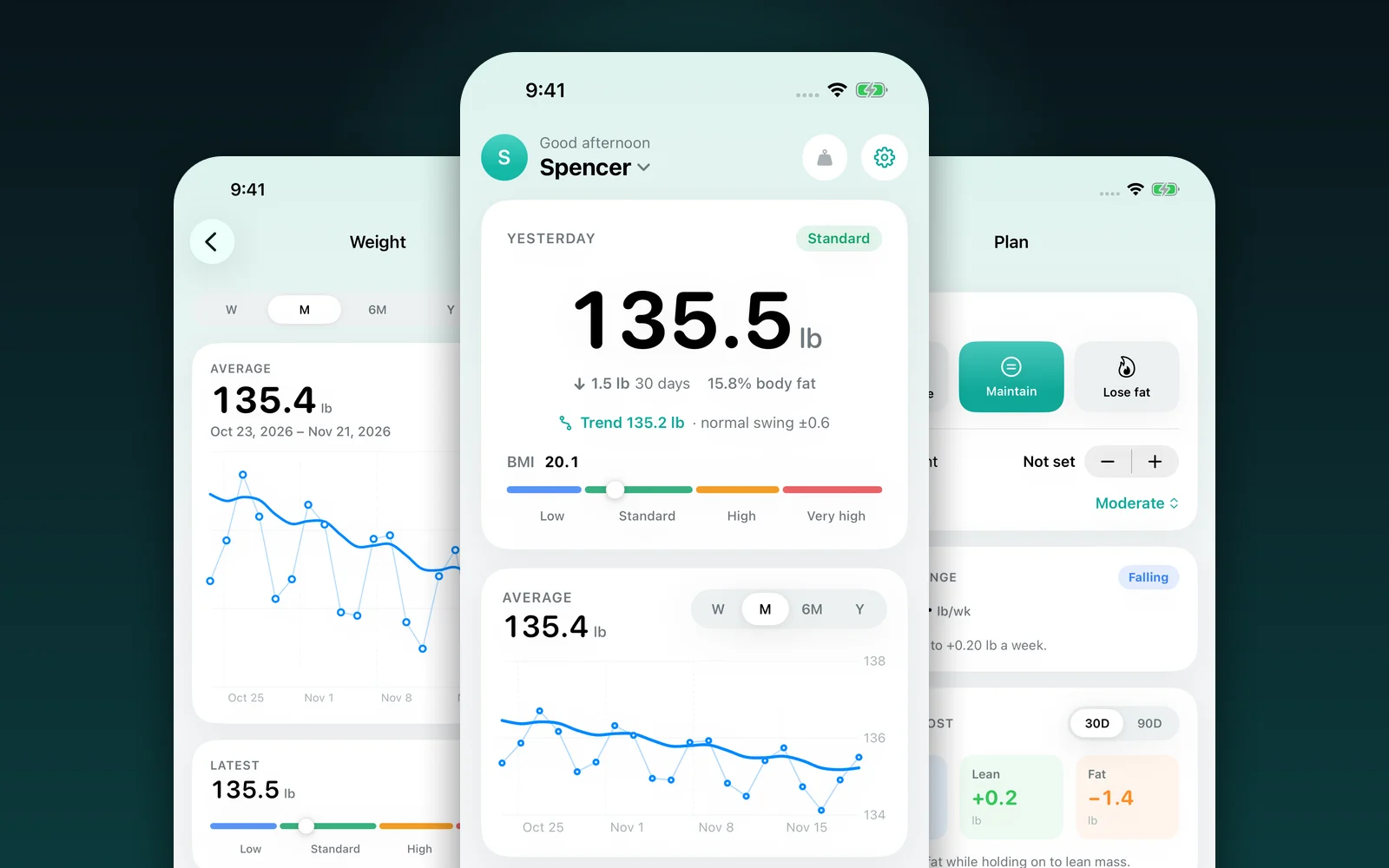
01 / Problem
A good scale stuck behind a vendor app
The Wyze Scale Ultra measures body composition through four electrodes, but the only way to see the numbers is Wyze's app and cloud. The open-source protocol work for the older Scale X connected to the Ultra and read weight, then nothing else: no impedance, no body fat, and no error. The goal was an iPhone app that talks to the scale directly, writes to Apple Health, and treats the data as mine.
02 / Reverse engineering
From a Bluetooth capture to every byte of the frame
01 →
Capture
Apple's Bluetooth logging profile on the iPhone, a live iOS trace in PacketLogger, one weigh-in with the Wyze app.
02 →
Break the key exchange
Diffie–Hellman with g = 5 over a 32-bit prime is sent in the clear. A baby-step giant-step discrete log recovers the app's private key in under a second.
03 →
Decrypt
XXTEA on independent 8-byte blocks, keyed with the shared secret's hex string. Every frame in the session decodes.
04 →
Find the difference
The Ultra wraps commands in a new header (sequence byte, length, checksum) and uses new user commands: list 0x18, select 0x19, save 0x1A.
05 →
Map the frame
All 51 bytes of the live frame identified: weight, raw impedance, fat, muscle, bone, water, protein, lean mass, visceral fat, BMR, body age, BMI, matched user.
The write-up is public as PROTOCOL.md, with a script that decrypts any PacketLogger capture, so the next person doesn't start from zero.
03 / The app
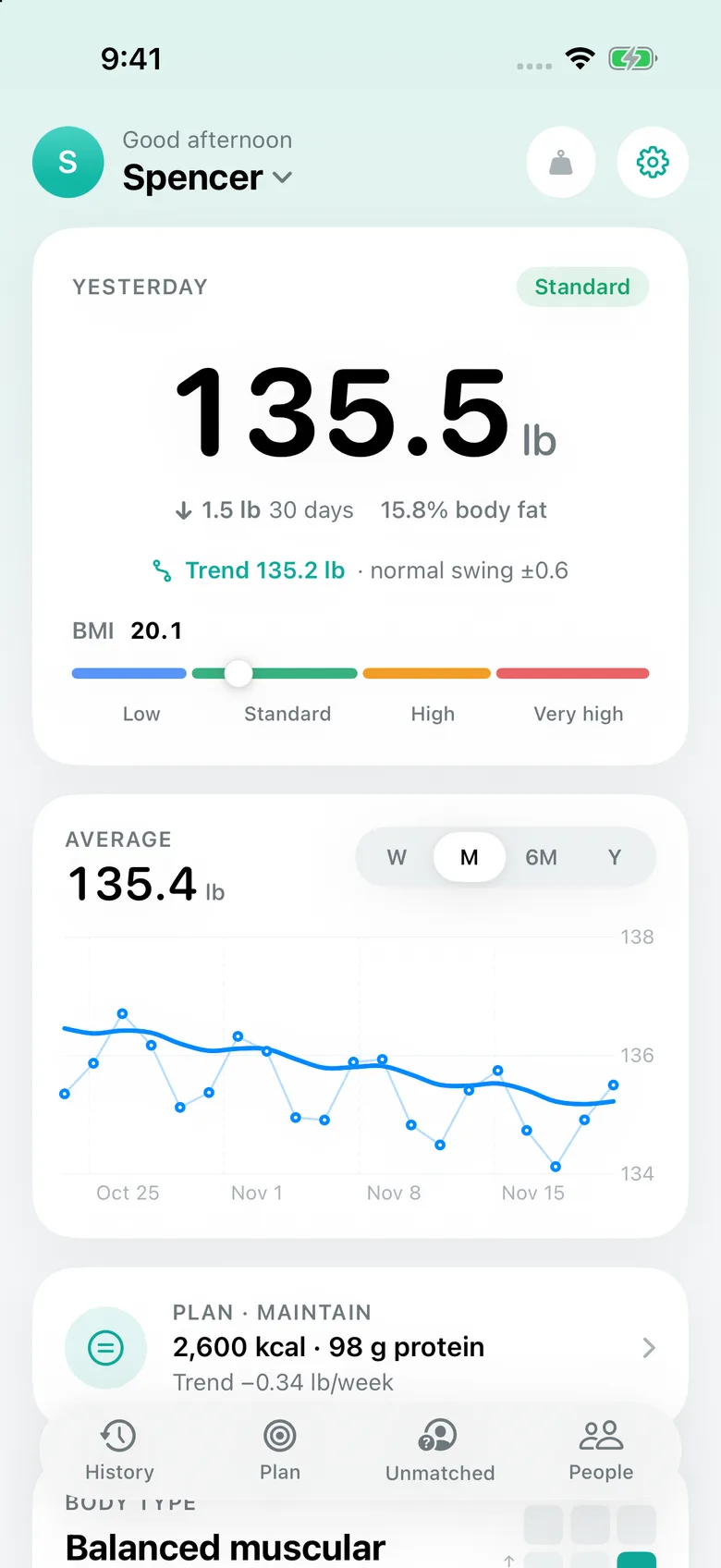
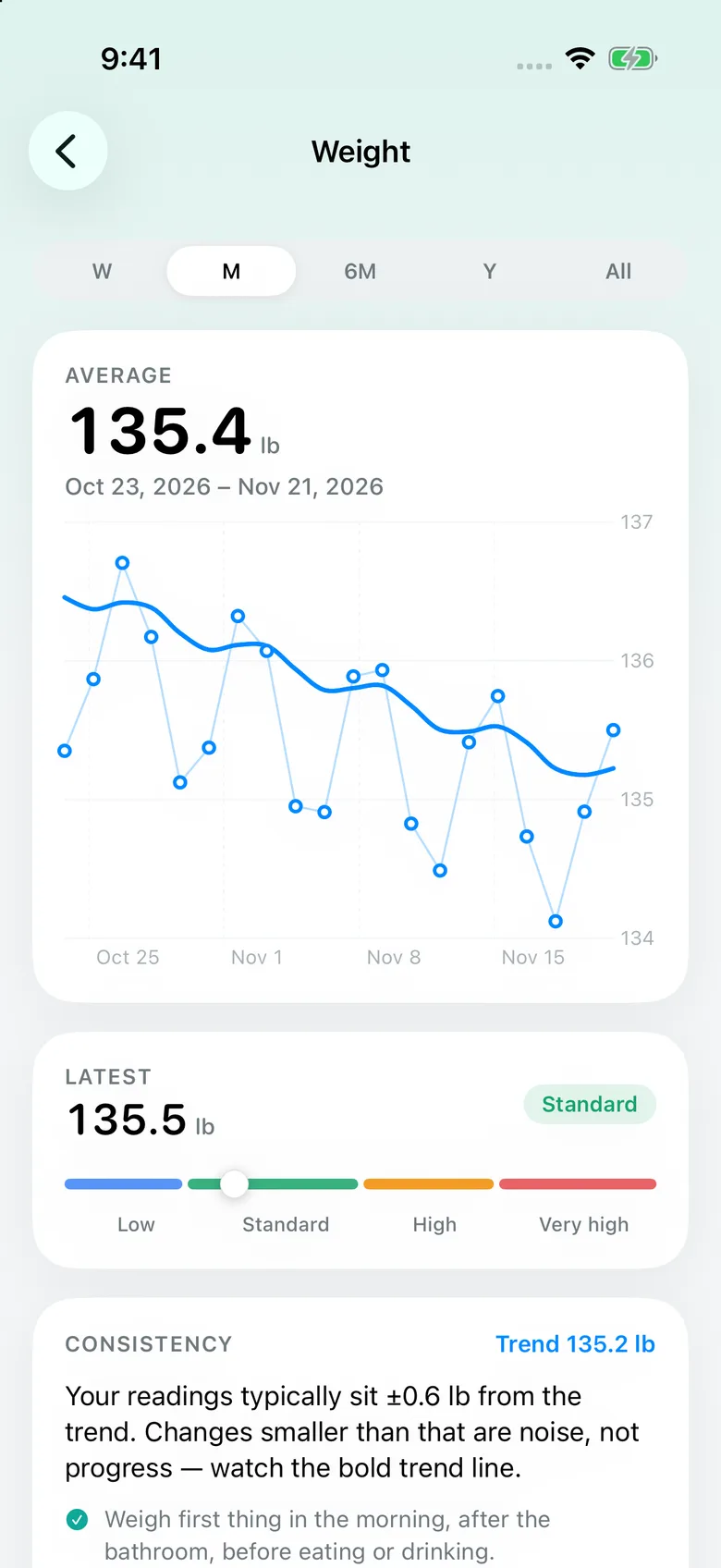
More than the vendor app shows
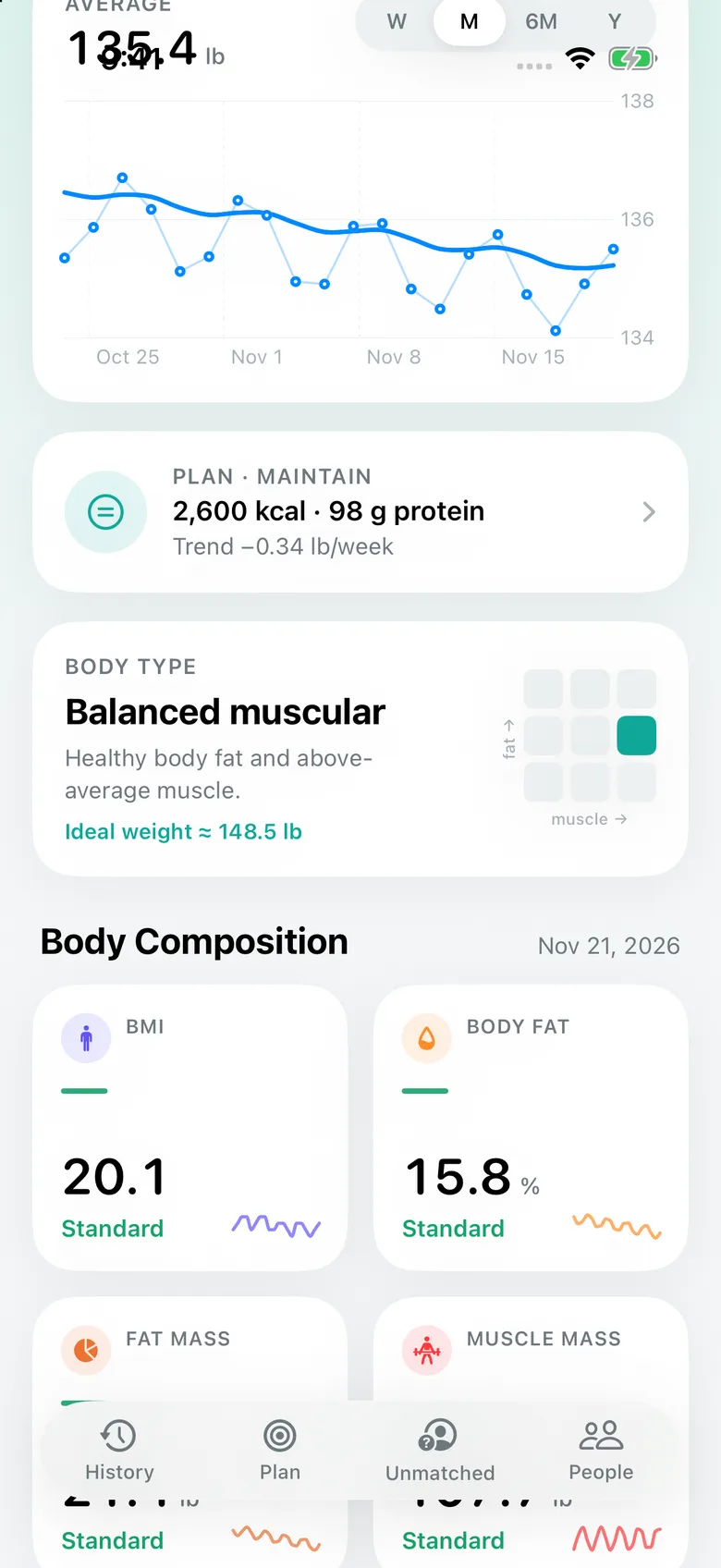
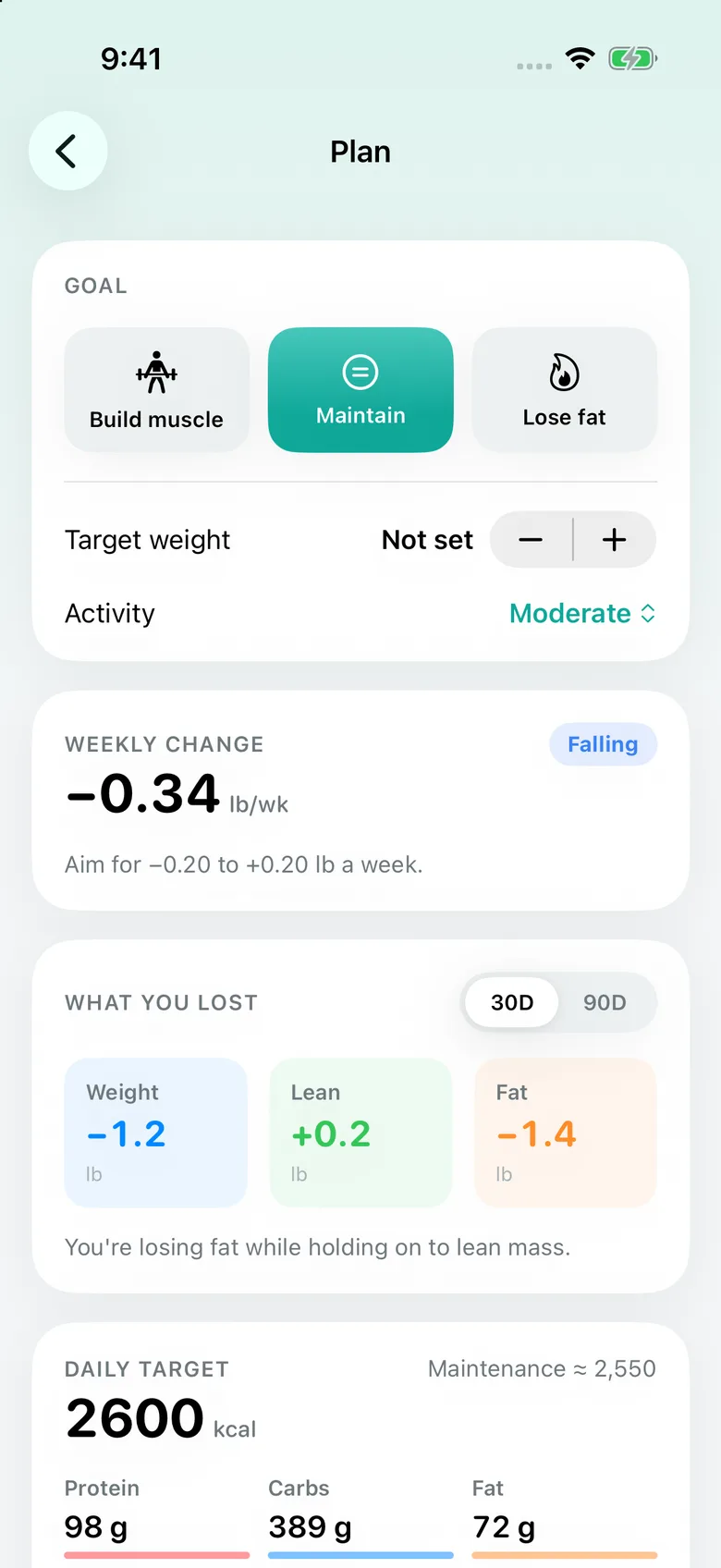
04 / Measurements
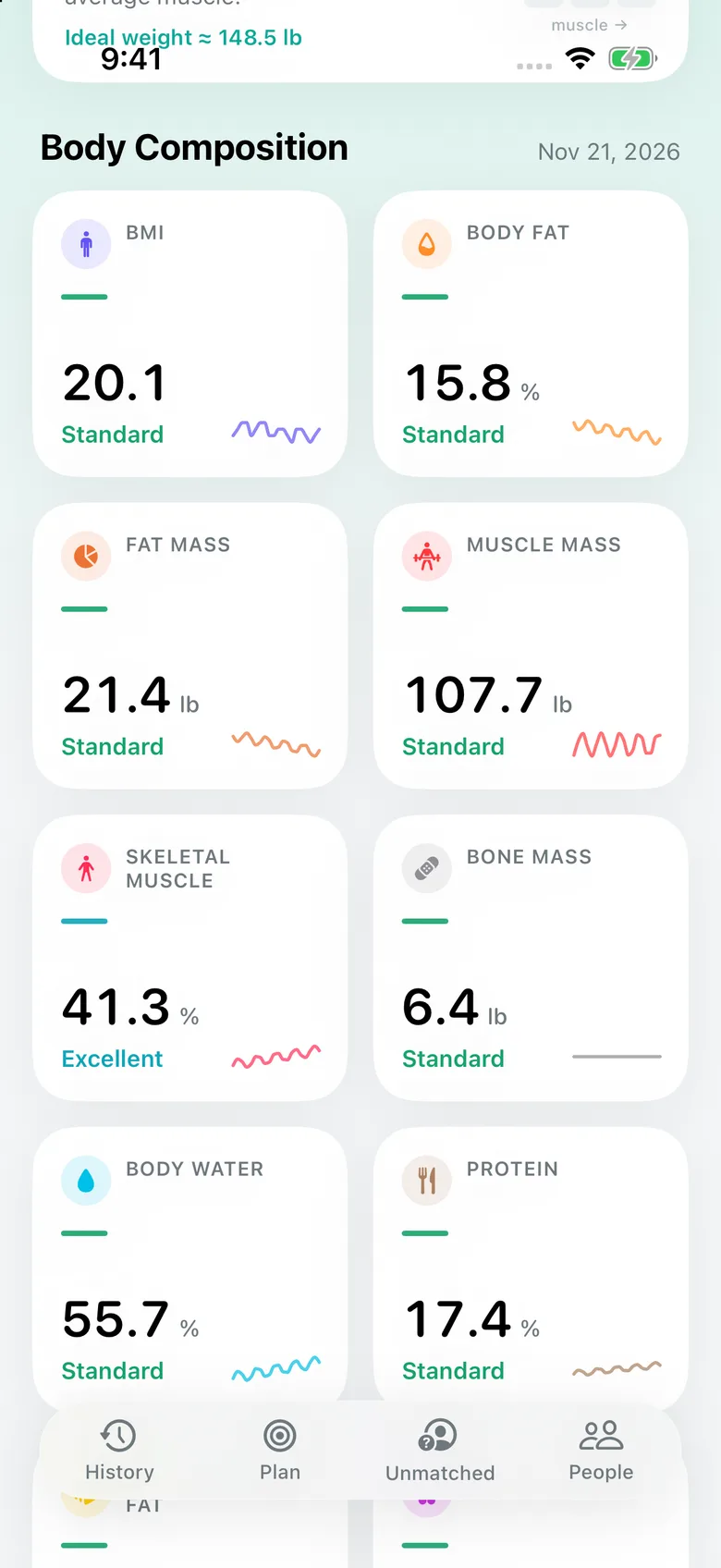
What the scale sends, and what the app works out
| Metric | Source |
|---|---|
| Weight, body fat, muscle, bone, water, protein, lean mass, visceral fat, BMR, metabolic age, BMI | Scale (decoded frame) |
| Raw bio-impedance (Ω) | Scale, never shown by the Wyze app |
| Skeletal muscle % | App: Janssen et al. 2000 BIA equation (MRI-validated) from impedance, height, sex, age |
| Subcutaneous fat, fat mass, FFMI, body type, ideal weight | App, from the measured values |
| Trend weight and normal daily swing | App: exponentially weighted moving average and RMS residual |
05 / Engineering decisions
Phone talks to the scale directly
No hub, no server, no cloud: the iPhone connects, runs the key exchange and decodes the stream itself.
Bluetooth only while the app is open
Measured, not assumed: the scale advertises continuously and its display turns on whenever a phone connects. Background auto-connect woke it every time the phone came near, so the app connects only in the foreground and lets an in-progress weigh-in finish.
Let the scale and the app both identify people
Every family member is registered on the scale; the reading's user ID is cross-checked with each person's recent weights. Body composition computed with the wrong profile is discarded instead of saved.
Only your weigh-ins go to your Health
HealthKit samples carry a sync identifier, so reassigning or deleting a weigh-in updates Apple Health exactly.
Advice from your own trend
The plan's calorie target adjusts when the trend runs faster or slower than a healthy lean-gain or fat-loss rate, and shows how much of a change was lean mass.